
ParallelFold on the cluster
ParallelFold organizes AlphaFold monomer and multimer predictions into parallel tasks. The CHESS application requires a FASTA file, prediction mode, and output directory.
The project was developed by a Shanghai Jiao Tong University team; see the ParallelFold repository.
Prepare inputs
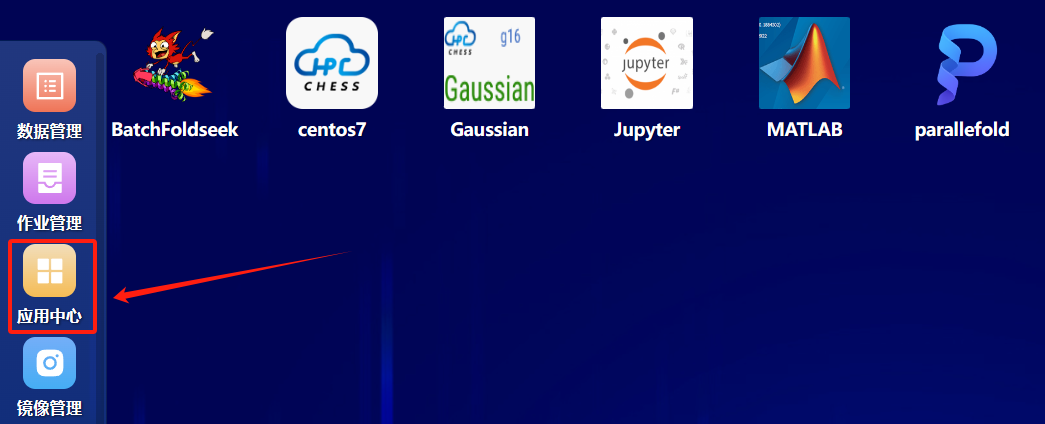
Sign in to CHESS and open Application Center (应用中心):
Upload a FASTA file to the cluster (用户名 means your username):
/hpcfs/fhome/用户名/parallelfold/input/sample.fastaEach sequence needs a unique > identifier:
>protein_A
MKTAYIAKQRQISFVKSHFSRQDILDLWQ
>protein_B
MSEQNNTEMTFQIQRIYTKDISFEAPNAPHPrepare a separate writable output directory:
/hpcfs/fhome/用户名/parallelfold/output/Open the application
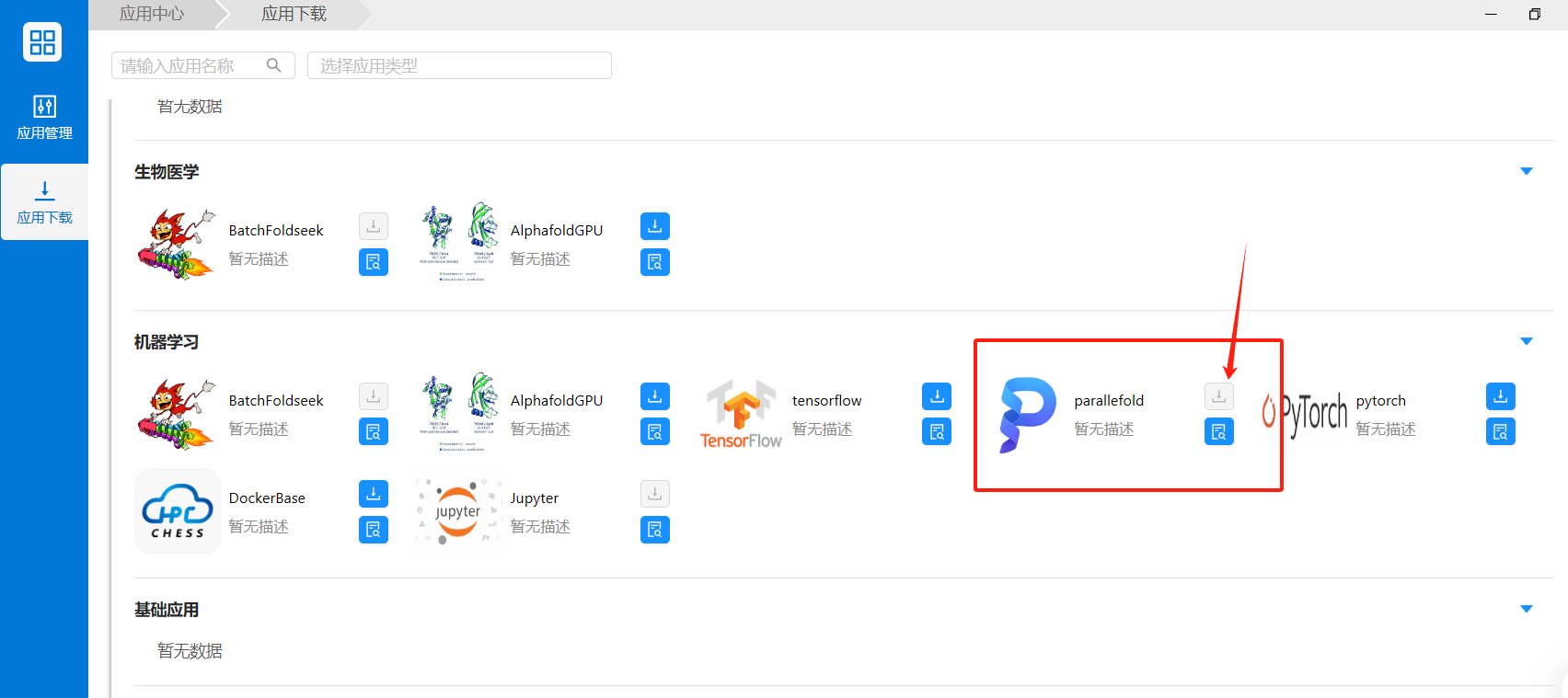
In Application Download (应用下载), under machine learning, find the application labeled parallefold (the spelling used in the interface) and add it to the desktop:
Open it and select Submit (提交):
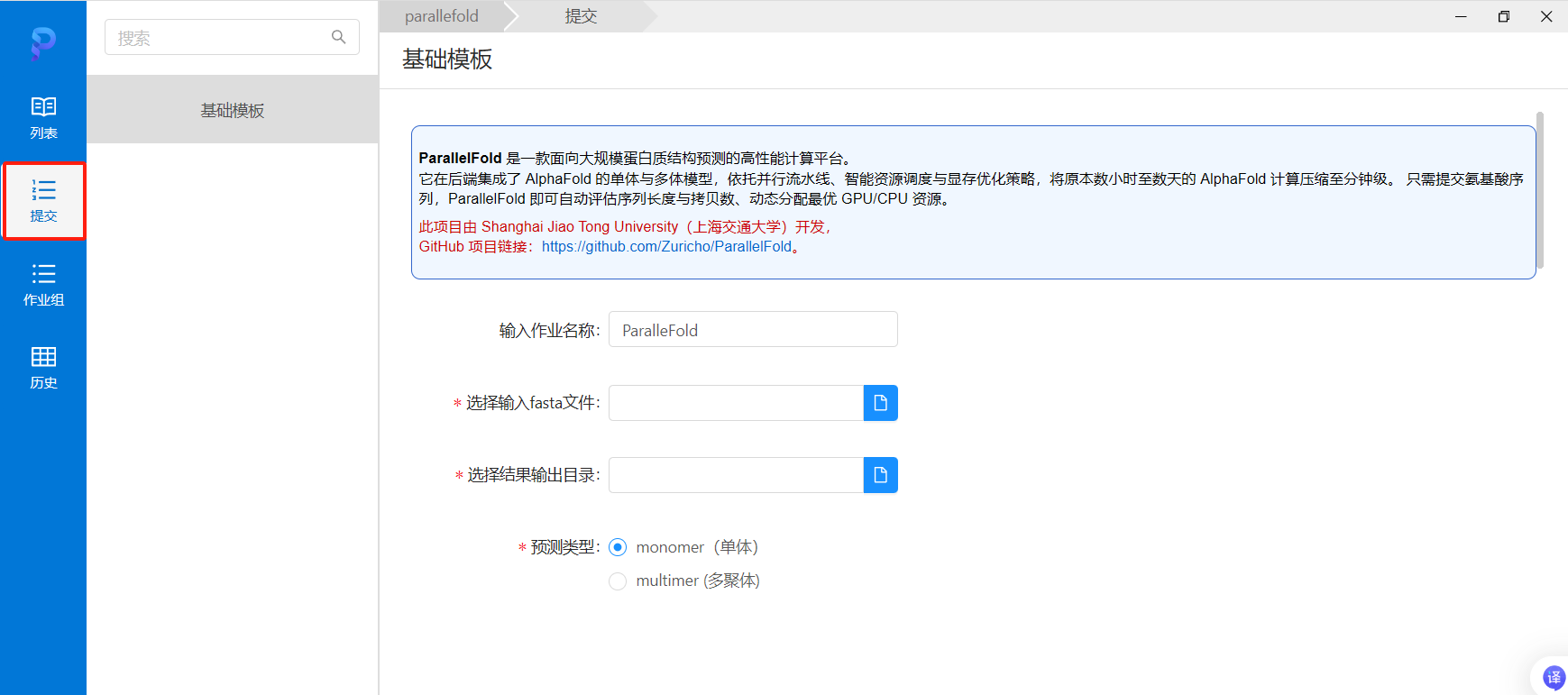
Provide a short job name, full cluster FASTA path, output directory, and prediction type.
Monomer
monomer extracts each FASTA sequence into a separate file and records sequence/task mappings in fasta_id_map.txt. Use it for independent single-chain proteins.
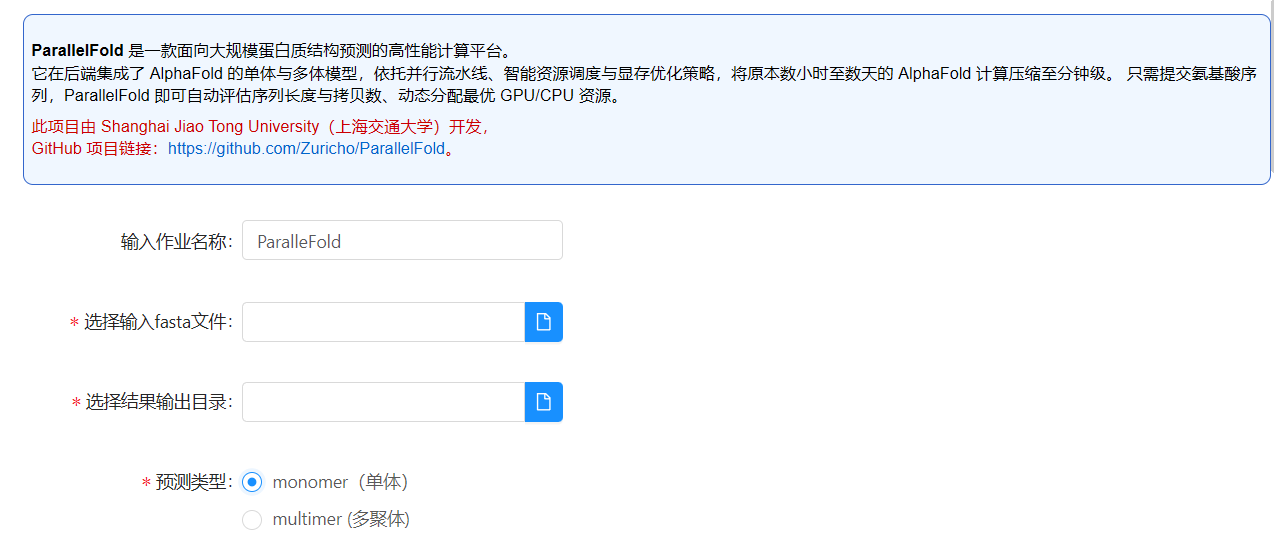
Multimer
multimer treats all input sequences as one complex, creates multimer_input.fasta, and records the mapping in fasta_id_map.txt.
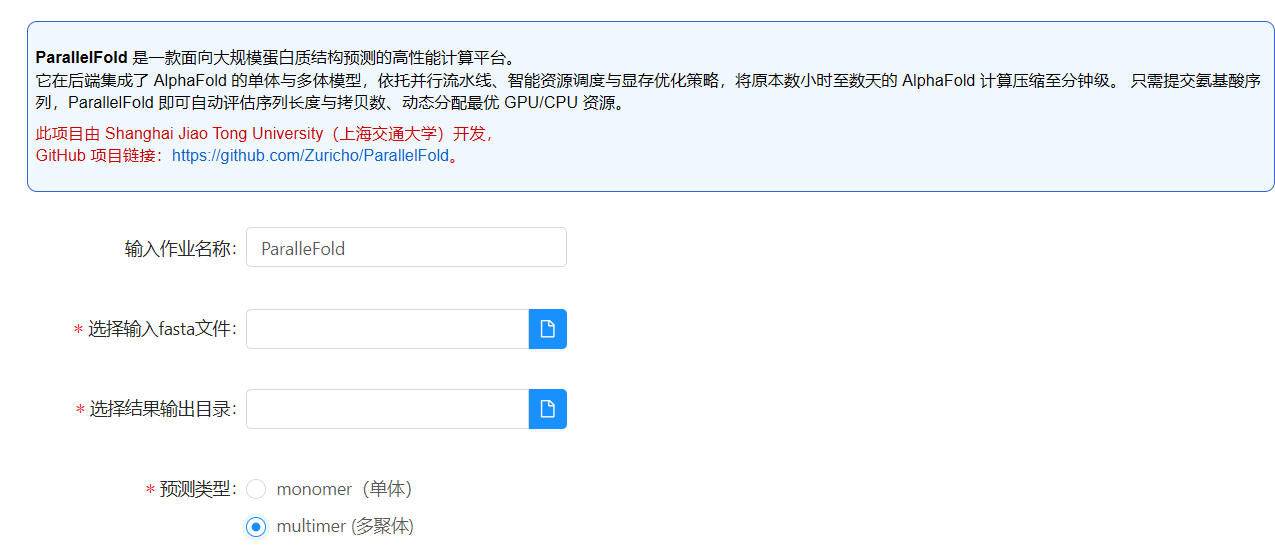
Choose monomer for independent predictions and multimer only when the sequences together form the target complex. This choice changes both task grouping and result interpretation.
Monitor and inspect logs
Open List (列表) or Job Group (作业组) for IDs, states, partition, CPU/GPU counts, and nodes:
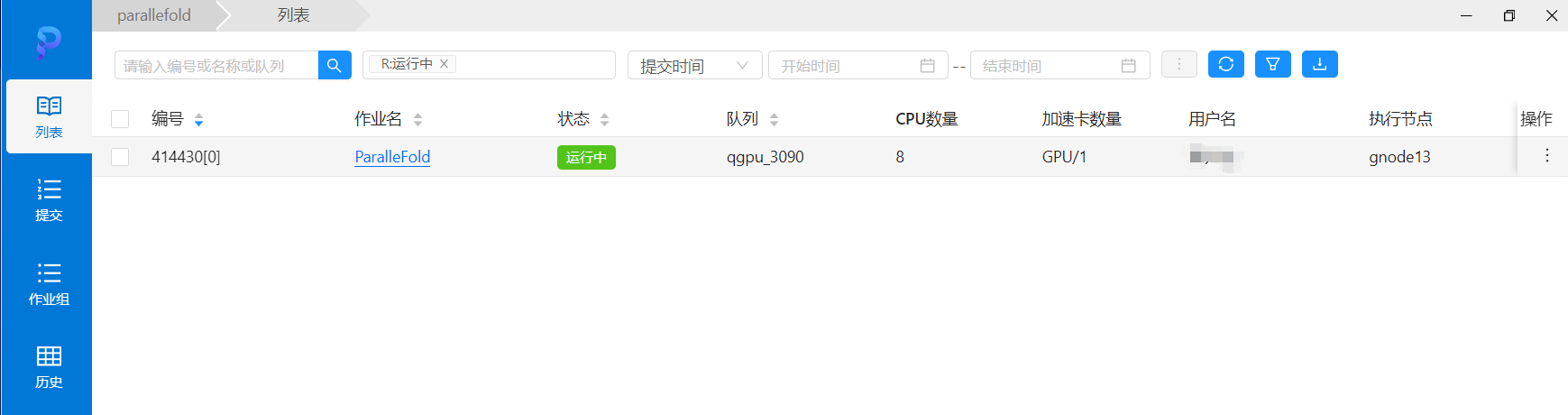
The documented CHESS template uses qgpu_3090 and one GPU per task. Jobs may wait for resources. Open job details for Output (输出), Monitoring (监控), Input (输入), Details (详情), and Performance (性能). For failures, inspect the end of the error output first.
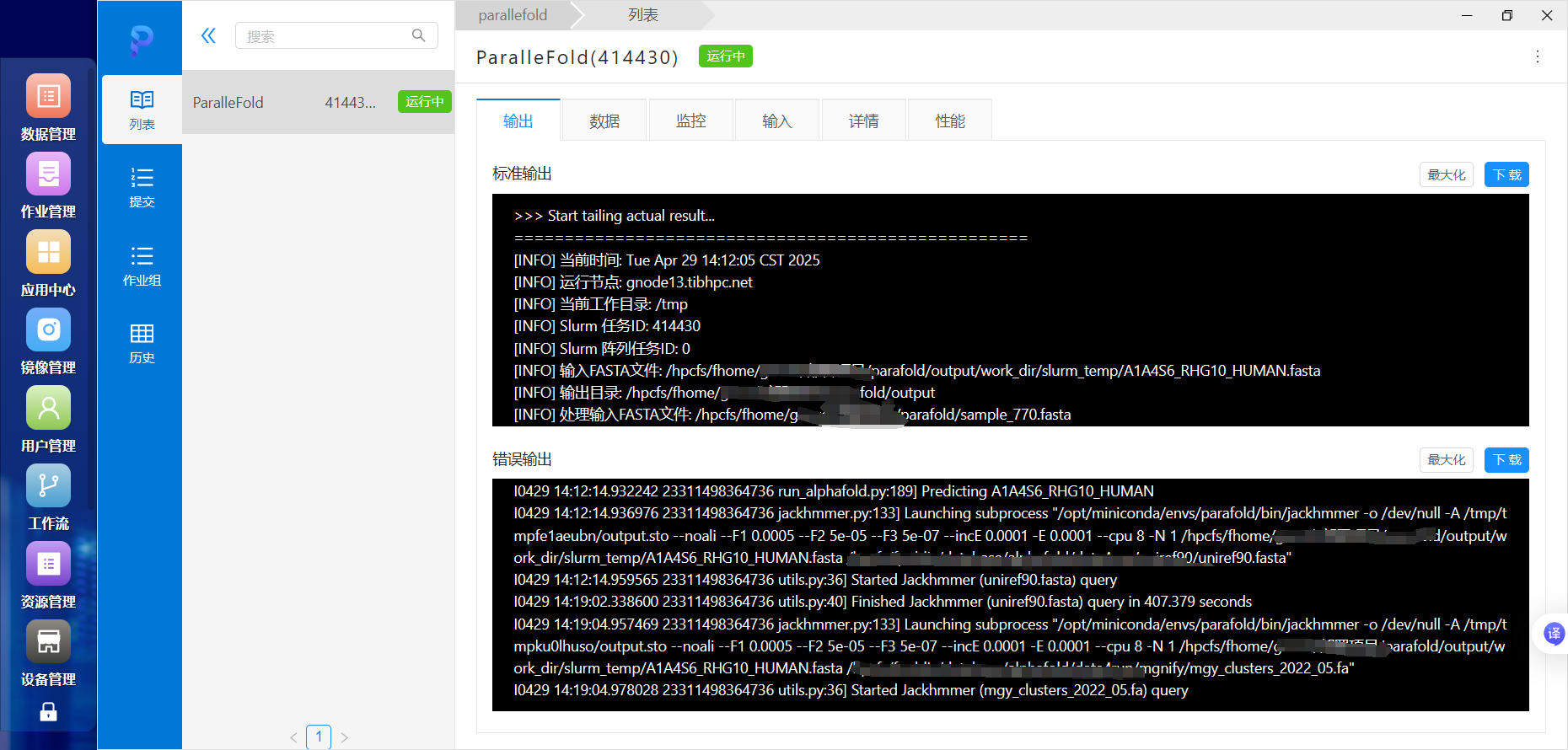
Demonstration:

Results
Results are normally grouped into a subdirectory for each prediction target:

| File | Meaning |
|---|---|
ranked_*.pdb | Structures ranked by confidence; ranked_0.pdb is normally top-ranked |
relaxed_model_*.pdb | Relaxed structures |
unrelaxed_model_*.pdb | Unrelaxed structures |
ranking_debug.json | Ranking and scoring information |
result_model_*.pkl | Full per-model prediction data |
features.pkl | Model input features |
timings.json | Stage runtimes |
msas/ | Multiple-sequence-alignment files |
The working directory also contains mapping files, job scripts, and logs:

fasta_id_map.txt: sequence-to-task mapping.parallelfold_array_job_monomer_ptm.slurm: monomer array-job script.parallelfold_array_job_multimer.slurm: multimer array-job script.slurm_logs/: job logs.slurm_temp/: temporary files.
Troubleshooting
Use an uploaded cluster FASTA file with a supported extension such as .fasta or .fa. Do not resubmit identical pending jobs. If independent sequences produced a single complex, check whether multimer mode was selected. For empty or failed output, inspect logs, FASTA format, and write permissions. Keep runs separate, for example:
/hpcfs/fhome/用户名/parallelfold/output/20260907_test/