Interactive allocations with salloc
salloc reserves compute resources for an interactive session. After allocation, connect to the assigned node to run commands or development tools. Use sbatch for unattended batch work.
Syntax
In this original notation, 资源参数 means resource options:
salloc [资源参数]| Option | Meaning |
|---|---|
-N | Number of nodes |
--ntasks | Number of tasks |
--cpus-per-task | CPUs per task |
--mem | Memory per node, e.g. 16G |
--gres=gpu:N | GPUs per node |
--partition | Partition |
--time | Wall-time limit, e.g. 02:00:00 |
--qos | Quality of service, subject to partition policy |
CPU example
One node, eight CPUs, 16 GB RAM, and five minutes:
salloc -N 1 --cpus-per-task=8 --mem=16G -t 5:00 -p qcpu_18iExample allocation output:
salloc: Pending job allocation 273377
salloc: job 273377 queued and waiting for resources
salloc: job 273377 has been allocated resources
salloc: Granted job allocation 273377
salloc: Waiting for resource configuration
salloc: Nodes bnode1 are ready for jobConnect to the assigned node:
ssh bnode1GPU example
One node, one task, four CPUs, 16 GB RAM, two GPUs, and five minutes:
salloc -N 1 --ntasks=1 --cpus-per-task=4 --mem=16G --gres=gpu:2 -p qgpu_3090 -t 5:00Example allocation output:
salloc: Pending job allocation 273390
salloc: job 273390 queued and waiting for resources
salloc: job 273390 has been allocated resources
salloc: Granted job allocation 273390
salloc: Waiting for resource configuration
salloc: Nodes gnode12 are ready for jobConnect to the assigned node:
ssh gnode12Inspect allocations
List visible jobs; use squeue -u "$USER" for only your jobs:
squeueIllustrative output (IDs, nodes, and elapsed times are examples, not the live state of the allocations above):
JOBID  PARTITION  NAME      USER  ST  TIME   NODES  NODELIST(REASON)
273377 qcpu_18i   interact  demo  R   13:41      1  bnode1
273390 qgpu_3090 interact demo R 4:25 1 gnode12More detail:
squeue -lConnect to a node
Use the hostname in your allocation, for example:
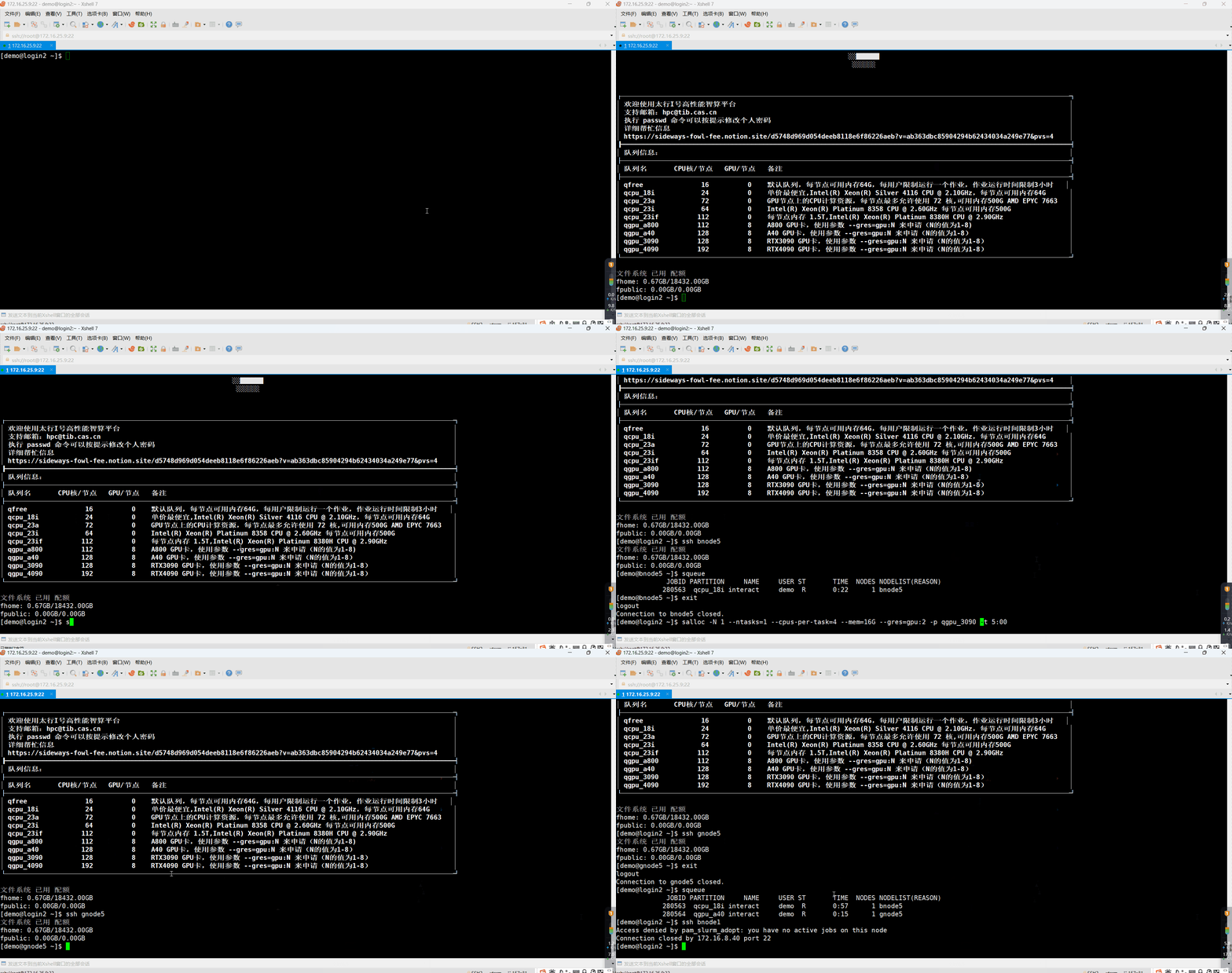
ssh bnode1ssh gnode12Without an active allocation from salloc, srun, or sbatch, direct SSH access to a compute node is normally denied:
Access denied by pam_slurm_adopt: you have no active jobs on this nodeWorkflow and release
Request resources from a login node, wait for allocation, inspect the assigned node, connect by SSH, and start your commands or tools. When finished, leave the node and exit the allocation shell:
exitOr cancel it from a login node, replacing 作业ID with its numeric ID:
scancel 作业IDSee JupyterLab and VS Code for interactive development.
Demonstration