Batch jobs with sbatch
Write resource requests and commands in a script and submit it with sbatch. Slurm queues and runs it in the background. Unlike a terminal-bound interactive task, an accepted batch job does not stop merely because your SSH connection ends. This suits production applications, data processing, and training workflows.
Syntax and options
sbatch [options] script.sh| Option | Meaning |
|---|---|
--job-name | Job name |
--output, --error | Standard output and error paths |
--nodes, --ntasks, --ntasks-per-node | Nodes, total tasks, and tasks per node |
--cpus-per-task | CPU cores per task |
--mem | Memory per node |
--time | Wall-time limit, e.g. HH:MM:SS |
--partition | Partition |
--gres=gpu:N | GPUs per node |
--mail-type | Notification events such as BEGIN, END, and FAIL |
--mail-user | Notification email address |
Unless overridden, standard batch output and errors normally share slurm-%j.out. The examples below explicitly set separate files.
GPU example
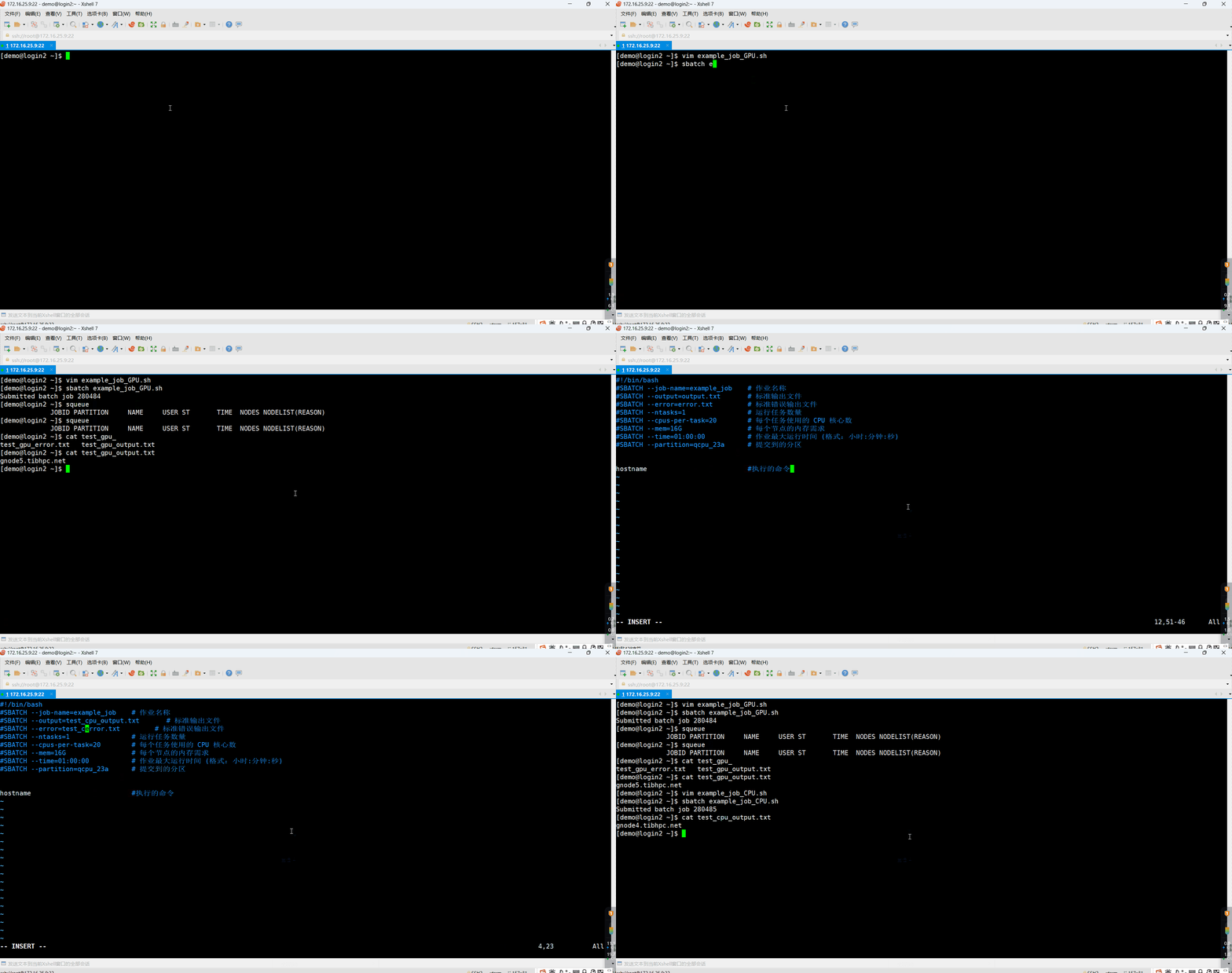
Use an authorized GPU partition, such as qgpu_3090, qgpu_4090, or qgpu_a40, and explicitly request GPUs. This example requests one node, one task, 16 CPUs, 32 GB RAM, one GPU, and one hour, then prints the hostname. It is a submission demonstration, not a GPU-computation benchmark.
The prompt lines and sample output in the following transcripts are not part of the script. Save only the script beginning with #!/bin/bash as example_job.sh.
[demo@login2 ~]$ vim example_job.sh
#!/bin/bash

#SBATCH --job-name=example_job     # Job name
#SBATCH --partition=qgpu_3090      # Partition
#SBATCH --nodes=1                  # Number of nodes
#SBATCH --ntasks-per-node=1        # Number of tasks
#SBATCH --cpus-per-task=16         # CPUs per task
#SBATCH --gres=gpu:1               # Use gres=gpu:2 for two GPUs per node
#SBATCH --mem=32G                  # Memory per node
#SBATCH --time=01:00:00            # Wall-time limit (HH:MM:SS)
#SBATCH --output=output.txt        # Standard output file
#SBATCH --error=error.txt          # Standard error file

hostname #Command to executeSubmit:
[demo@login2 ~]$ sbatch example_job.sh
Submitted batch job 273675Slurm returns an ID used for monitoring and cancellation. Standard output and errors are written to output.txt and error.txt. SSH access to an allocated node is available while the allocation is active. Example files/output:
[demo@login2 ~]$ ll
total 1
-rw-r--r-- 1 demo domain users   0 Sep 20 10:50 error.txt
-rw-r--r-- 1 demo domain users 543 Sep 20 10:50 example_job.sh
-rw-r--r-- 1 demo domain users  19 Sep 20 10:50 output.txt

# Read output.txt
[demo@login2 ~]$ cat output.txt
gnode12.tibhpc.netCPU example
This example requests a task on qcpu_23a with 20 CPUs, 16 GB RAM, and a one-hour limit, and prints the hostname:
[demo@login2 ~]$ vim example_job.sh
#!/bin/bash
#SBATCH --job-name=example_job    # Job name
#SBATCH --output=output.txt       # Standard output file
#SBATCH --error=error.txt         # Standard error file
#SBATCH --ntasks=1                # Number of tasks
#SBATCH --cpus-per-task=20        # CPUs per task
#SBATCH --mem=16G                 # Memory per node
#SBATCH --time=01:00:00           # Wall-time limit (HH:MM:SS)
#SBATCH --partition=qcpu_23a      # Partition


hostname #Command to executeSubmit:
[demo@login2 ~]$ sbatch example_job.sh
Submitted batch job 273664Inspect output:
[demo@login2 ~]$ ll
total 1
-rw-r--r-- 1 demo domain users   0 Sep 20 11:50 error.txt
-rw-r--r-- 1 demo domain users 543 Sep 20 11:50 example_job.sh
-rw-r--r-- 1 demo domain users  19 Sep 20 11:50 output.txt

# Read output.txt
[demo@login2 ~]$ cat output.txt
gnode19.tibhpc.netMonitor, cancel, and inspect accounting
List jobs; squeue -l adds detail. Use -u "$USER" to filter to your own jobs.
# List pending and running jobs
[demo@login2 ~]$ squeue

# Use -l for more detail

[demo@login2 ~]$ squeue -lCancel a job by its actual ID:
# Cancel a submitted job with scancel JOB_ID
[demo@login2 ~]$ scancel 273664Inspect accounting records. Specify a time range explicitly when you need a particular reporting period:
[demo@login2 ~]$ sacct

JobID           JobName  Partition    Account  AllocCPUS      State ExitCode
------------ ---------- ---------- ---------- ---------- ---------- --------
273663       example_j+   qcpu_23a      d_gly         20     FAILED    127:0
273663.batch      batch                 d_gly         20     FAILED    127:0
273663.exte+     extern                 d_gly         20  COMPLETED      0:0
273664       example_j+   qcpu_23a      d_gly         20  COMPLETED      0:0
273664.batch      batch                 d_gly         20  COMPLETED      0:0
273664.exte+     extern                 d_gly         20  COMPLETED      0:0
273674             test  qgpu_a800      d_gly         16     FAILED    127:0
273674.batch      batch                 d_gly         16     FAILED    127:0
273674.exte+     extern                 d_gly         16  COMPLETED      0:0
273675       example_j+  qgpu_3090      d_gly         16  COMPLETED      0:0
273675.batch      batch                 d_gly         16  COMPLETED      0:0
273675.exte+ extern d_gly 16 COMPLETED 0:0Inspect average and peak resident memory, replacing xxx with a job ID:
$ sacct --format="JobId,AveRSS,MaxRSS" -P -j xxx #jobIDDemonstration