
Off-site access
When outside the institute, connect to the internal network through the VPN before opening CHESS or connecting to a login node over SSH. Your account must have VPN access enabled.
VPN addresses
| Endpoint | Address |
|---|---|
| Primary | https://vpn.tibhpc.net:8443 |
| Backup | https://vpncst.tibhpc.net:8443 |
Connect to the VPN
- Open a VPN address in your browser.
- Enter your VPN-enabled account credentials.
- Install the browser component or VPN client as directed.
- Wait for the VPN connection to succeed before accessing internal services.
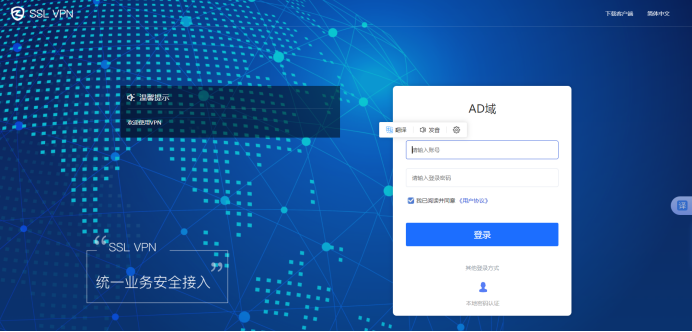

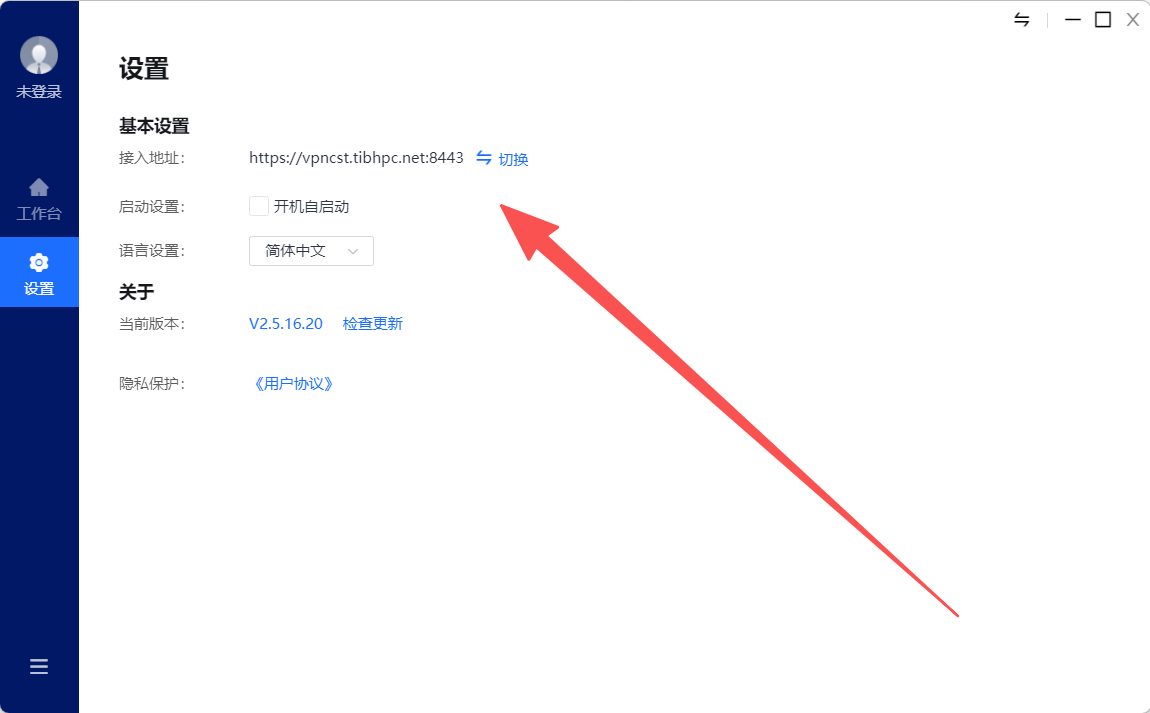
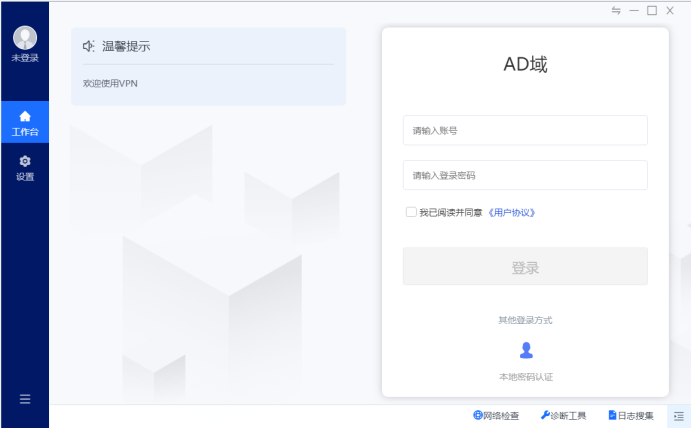
In the installed client, open Settings (设置) and enter one of the addresses above in Access Address (接入地址), for example https://vpncst.tibhpc.net:8443. Return to the login screen and sign in.
Access the cluster
After connecting, open CHESS for files, resource information, terminals, and jobs, or connect to login.tibhpc.net using an SSH client.
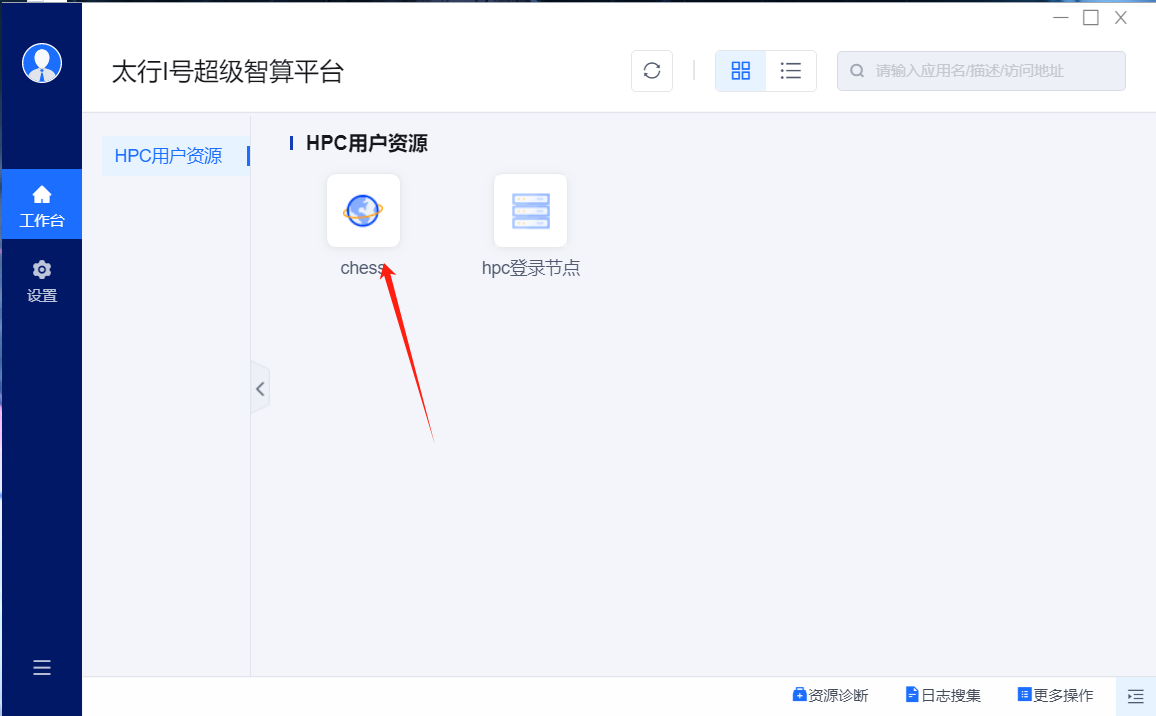
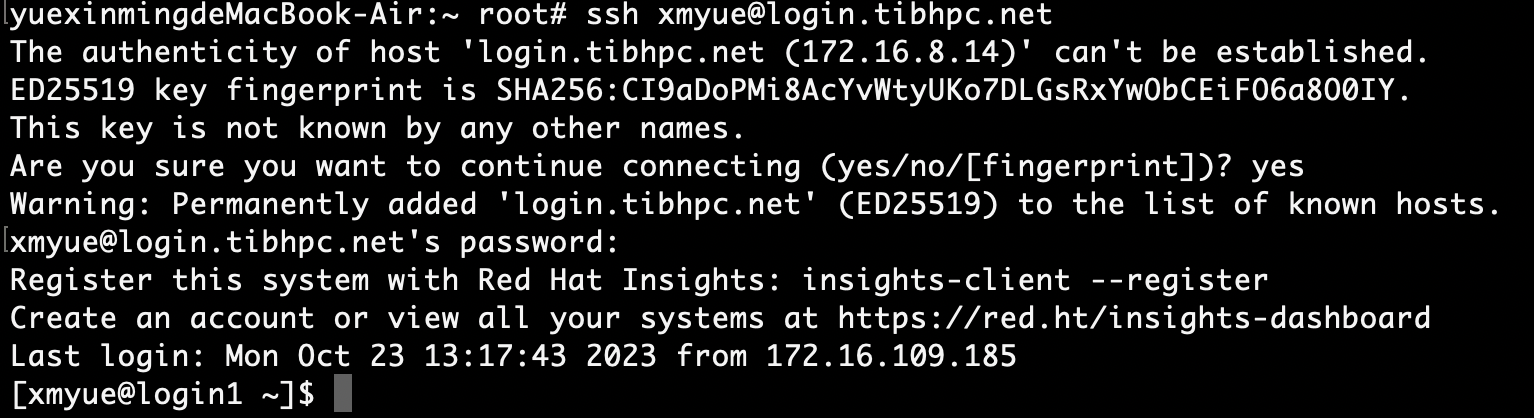
See CHESS and On-site SSH instructions.
Initial checks
Change the initial password, check your home directory, review partitions and quotas, test a small file transfer, and submit a small test job.
Troubleshooting
If the VPN cannot connect, check your network and try the backup endpoint, another browser, or reinstalling the client. If SSH fails despite a successful VPN connection, verify the host and enable Keyboard Interactive authentication. Check credentials, spaces, and input-method settings; contact the administrator after repeated failures.