
AlphaFold 3 on the cluster
AlphaFold 3 (AF3) predicts structures of biomolecular complexes involving proteins, nucleic acids, and small molecules. The platform provides a container, reference databases, and Slurm/CHESS submission methods. Supply your own model weights and input JSON.
Obtain your own model weights
Apply directly to the official provider. The platform does not supply or redistribute AF3 model weights.
Prepare weights and input
Follow the instructions in the official AF3 repository to apply for weights.
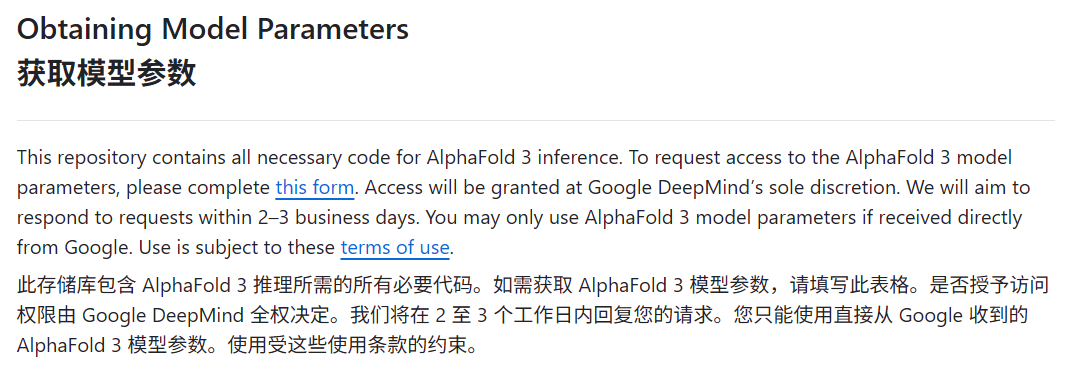
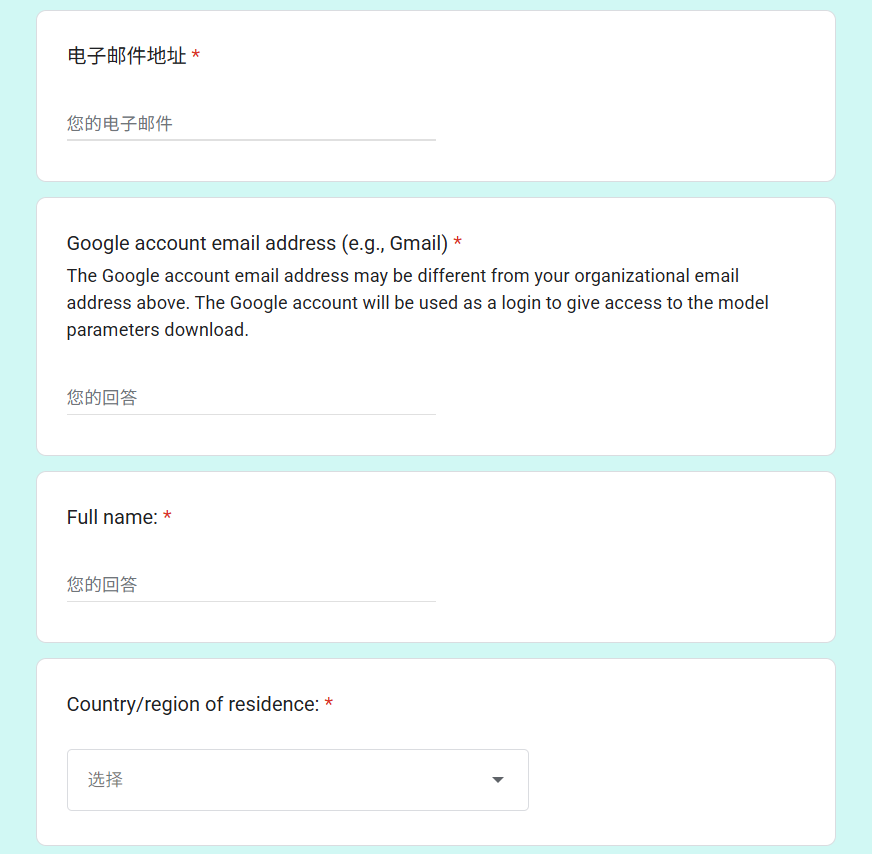
Suggested personal weight directory (用户名 means your username):
/hpcfs/fhome/用户名/models_weight/Keep the required directory structure; this directory will be mounted inside the container.
Suggested input path:
/hpcfs/fhome/用户名/af3/input/fold_input.jsonExample protein-complex input:
{
  "name": "2PV7",
  "sequences": [
    {
      "protein": {
        "id": ["A", "B"],
        "sequence": "GMRESYANENQFGFKTINSDIHKIVIVGGYGKLGGLFARYLRASGYPISILDREDWAVAESILANADVVIVSVPINLTLETIERLKPYLTENMLLADLTSVKREPLAKMLEVHTGAVLGLHPMFGADIASMAKQVVVRCDGRFPERYEWLLEQIQIWGAKIYQTNATEHDHNMTYIQALRHFSTFANGLHLSKQPINLANLLALSSPIYRLELAMIGRLFAQDAELYADIIMDKSENLAVIETLKQTYDEALTFFENNDRQGFIDAFHKVRDWFGDYSEQFLKESRQLLQQANDLKQG"
      }
    }
  ],
  "modelSeeds": [1],
  "dialect": "alphafold3",
  "version": 1
}See the official input JSON documentation for other formats.
Shared databases
/hpcfs/fpublic/database/alphafold/af3/data/Mount this location at /af3/data. Users normally do not need separate downloads. Example database files:
bfd-first_non_consensus_sequences.fasta
mgy_clusters_2022_05.fa
nt_rna_2023_02_23_clust_seq_id_90_cov_80_rep_seq.fasta
pdb_2022_09_28_mmcif_files.tar
pdb_seqres_2022_09_28.fasta
rfam_14_9_clust_seq_id_90_cov_80_rep_seq.fasta
rnacentral_active_seq_id_90_cov_80_linclust.fasta
uniprot_all_2021_04.fa
uniref90_2022_05.faCommand-line submission
Run predictions through Slurm on allocated GPU resources. The basic container invocation is:
singularity exec --nv \
  -B /hpcfs/fhome/用户名/models_weight:/af3/model_weight \
  -B /hpcfs/fpublic/database/alphafold/af3/data:/af3/data \
  -B /hpcfs/fhome/用户名/af3:/af3/work \
  /hpcfs/fpublic/container/singularity/app/af3/af3.sif \
  sh /opt/f3.sh \
    --json_path=/af3/work/input/fold_input.json \
--output_dir=/af3/work/output| Option or path | Meaning |
|---|---|
--nv | Enable NVIDIA GPU support |
-B host:container | Bind a host directory into the container |
/af3/model_weight | Model-weight directory inside the container |
/af3/data | Reference databases inside the container |
--json_path | Input JSON path inside the container |
--output_dir | Output directory inside the container |
Save as run_af3.slurm and customize personal paths and resource requests:
#!/bin/bash
#SBATCH --job-name=af3
#SBATCH --partition=qgpu_a40
#SBATCH --gres=gpu:1
#SBATCH --cpus-per-task=8
#SBATCH --mem=64G
#SBATCH --time=24:00:00
#SBATCH --output=af3_%j.out
#SBATCH --error=af3_%j.err

set -euo pipefail

WORK_DIR="/hpcfs/fhome/用户名/af3"
WEIGHT_DIR="/hpcfs/fhome/用户名/models_weight"
DATA_DIR="/hpcfs/fpublic/database/alphafold/af3/data"
SIF="/hpcfs/fpublic/container/singularity/app/af3/af3.sif"

JSON_PATH="${WORK_DIR}/input/fold_input.json"
OUTPUT_DIR="${WORK_DIR}/output"

mkdir -p "${OUTPUT_DIR}"

echo "AF3 job started at: $(date)"
echo "Input JSON: ${JSON_PATH}"
echo "Output dir: ${OUTPUT_DIR}"

singularity exec --nv \
  -B "${WEIGHT_DIR}:/af3/model_weight" \
  -B "${DATA_DIR}:/af3/data" \
  -B "${WORK_DIR}:/af3/work" \
  "${SIF}" \
  sh /opt/f3.sh \
    --json_path=/af3/work/input/fold_input.json \
    --output_dir=/af3/work/output

echo "AF3 job finished at: $(date)"Submit and monitor:
sbatch run_af3.slurmsqueue -u $USERInspect logs, replacing 作业号 with the job ID:
cat af3_作业号.out
cat af3_作业号.errResults
The output directory commonly includes *_model.cif structures, *_confidences.json, *_summary_confidences.json, *_ranking_scores.csv, and TERMS_OF_USE.md. Example layout:
hello_fold/
├── seed-1234_sample-0/
│   ├── hello_fold_seed-1234_sample-0_confidences.json
│   ├── hello_fold_seed-1234_sample-0_model.cif
│   └── hello_fold_seed-1234_sample-0_summary_confidences.json
├── seed-1234_sample-1/
│   ├── hello_fold_seed-1234_sample-1_confidences.json
│   ├── hello_fold_seed-1234_sample-1_model.cif
│   └── hello_fold_seed-1234_sample-1_summary_confidences.json
├── TERMS_OF_USE.md
├── hello_fold_confidences.json
├── hello_fold_data.json
├── hello_fold_model.cif
├── hello_fold_ranking_scores.csv
└── hello_fold_summary_confidences.jsonCHESS submission
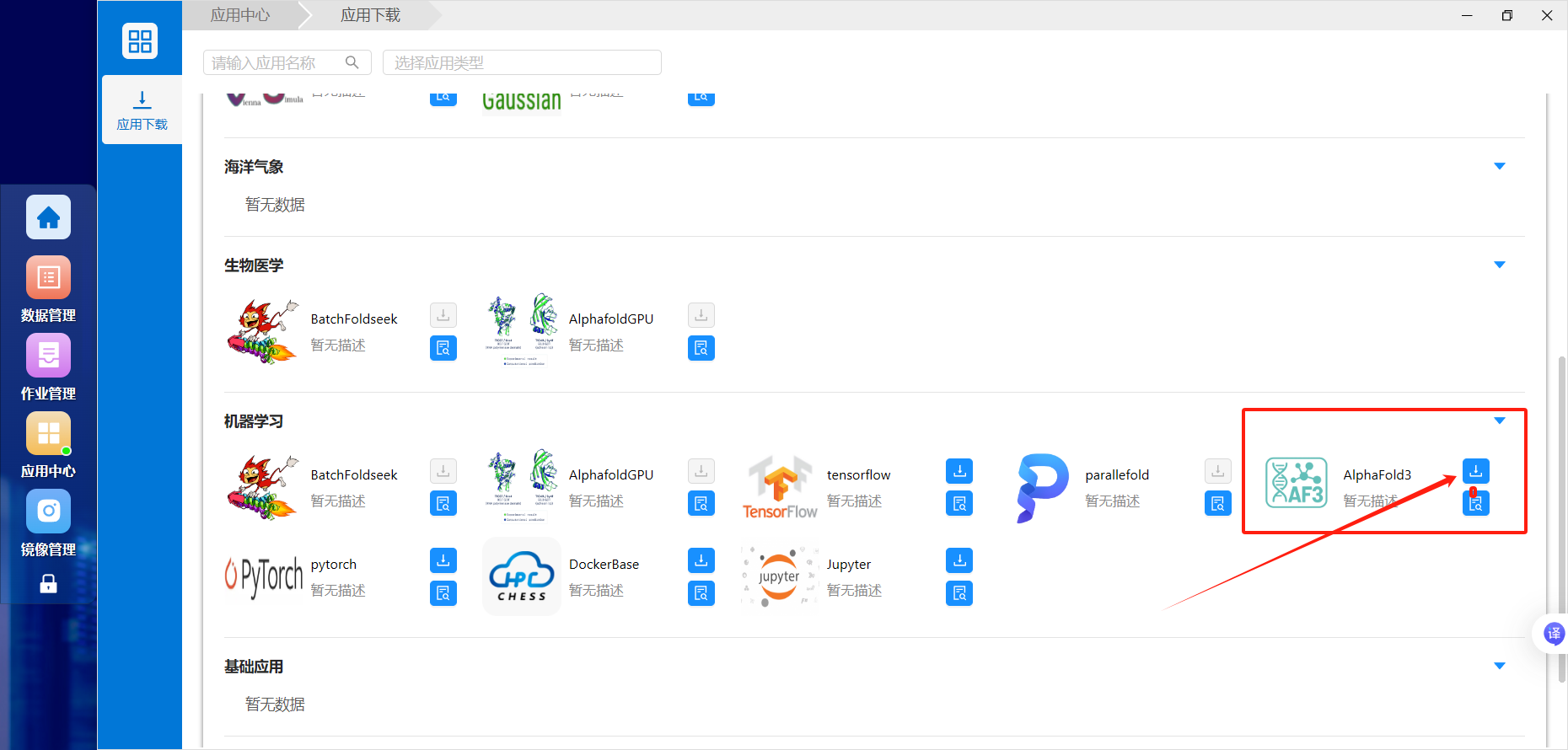
Open Application Center (应用中心), find AlphaFold3, and download/add it to your desktop:
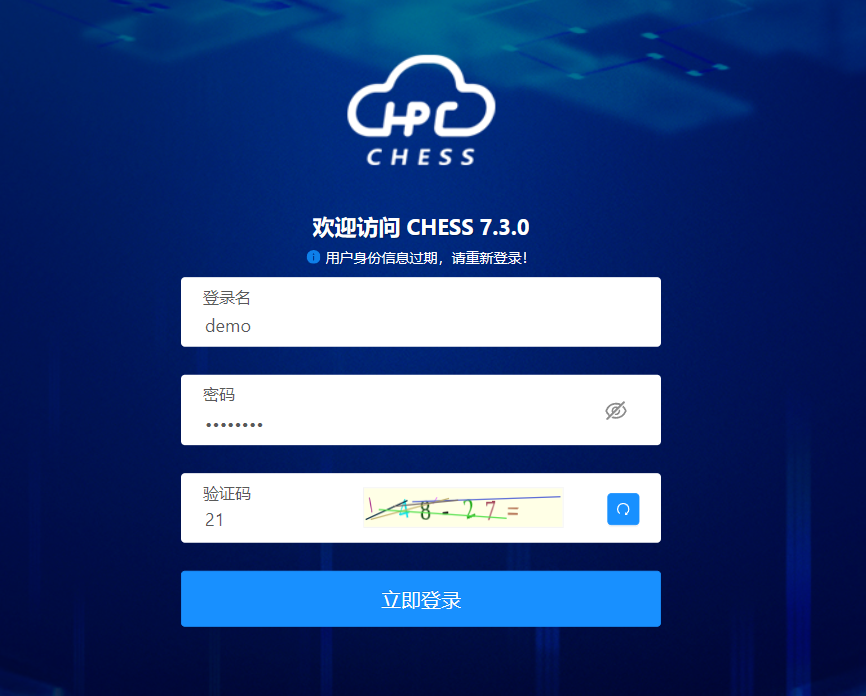

Open its desktop icon:
Choose a partition and specify input, weight, and output paths:

You still need your own approved model weights. Match the input type to the selected path: a single .json file or a directory containing JSON inputs.
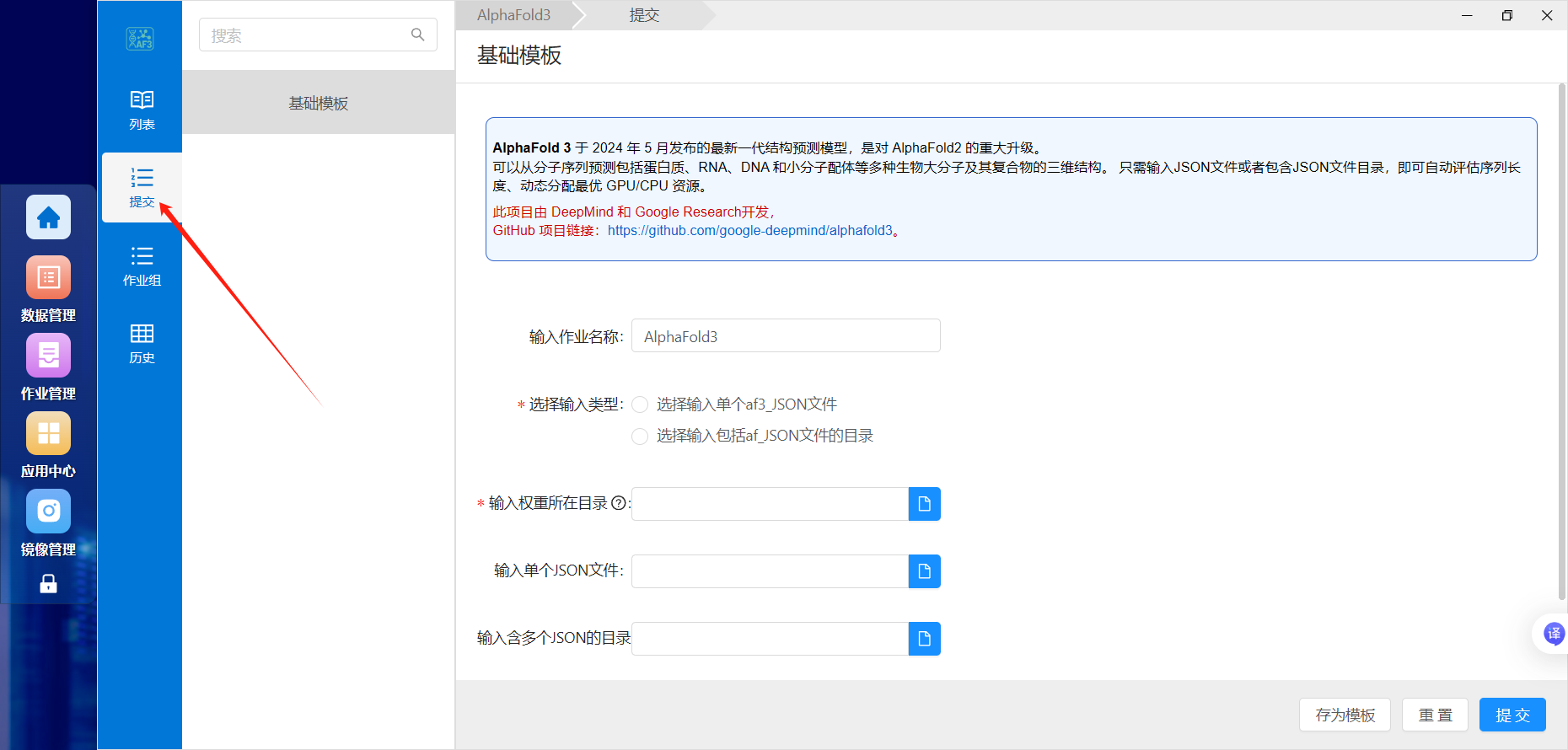


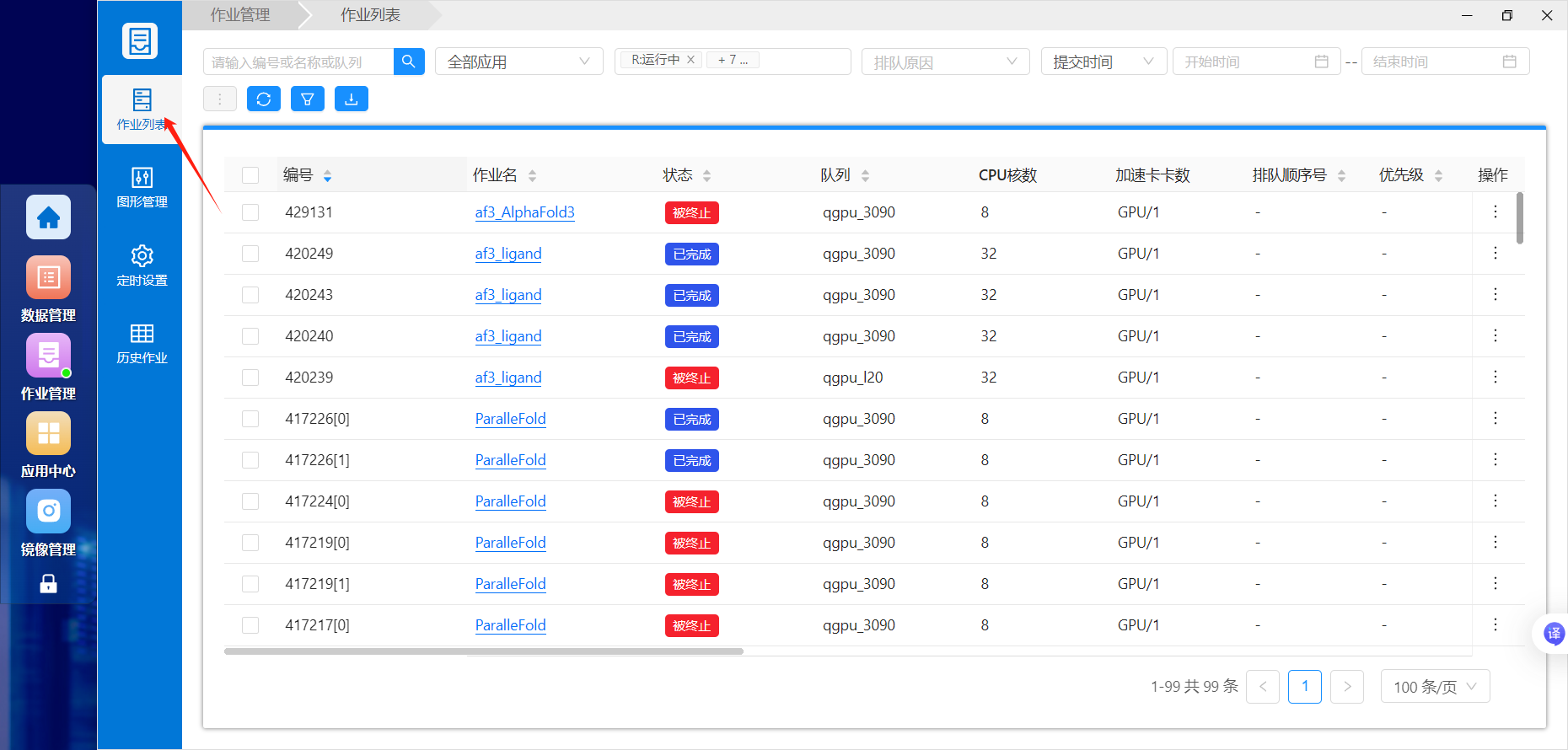
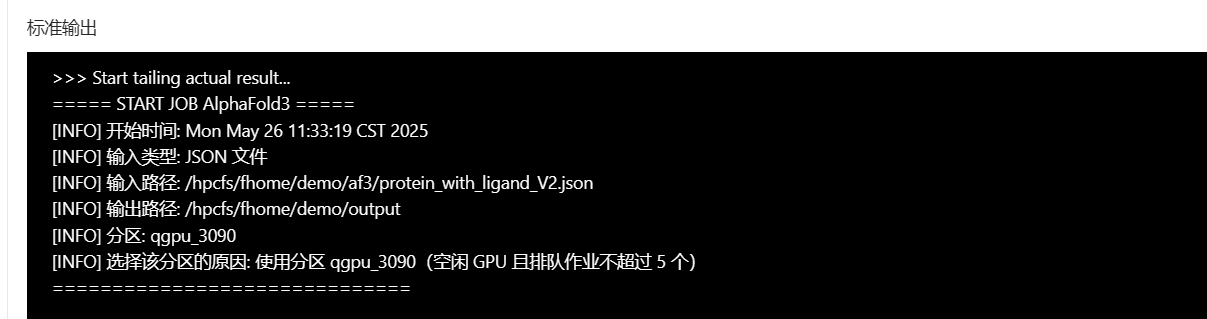
After submission, use Job Management (作业管理) to inspect the ID, state, standard output, and errors:

Demonstration:

Troubleshooting
For missing weights, check the directory structure and bind mount to /af3/model_weight. Pending jobs may be waiting for GPU resources. For failed or empty runs, inspect logs for invalid JSON, incorrect weight paths, unwritable outputs, or insufficient memory/time. Test a small sequence or official example before batch submission.