
Environment modules
The cluster uses module to manage compilers, MPI, CUDA, scientific applications, and bioinformatics tools. Load the required version to avoid conflicts. If a command is missing, first check available modules.
Find software
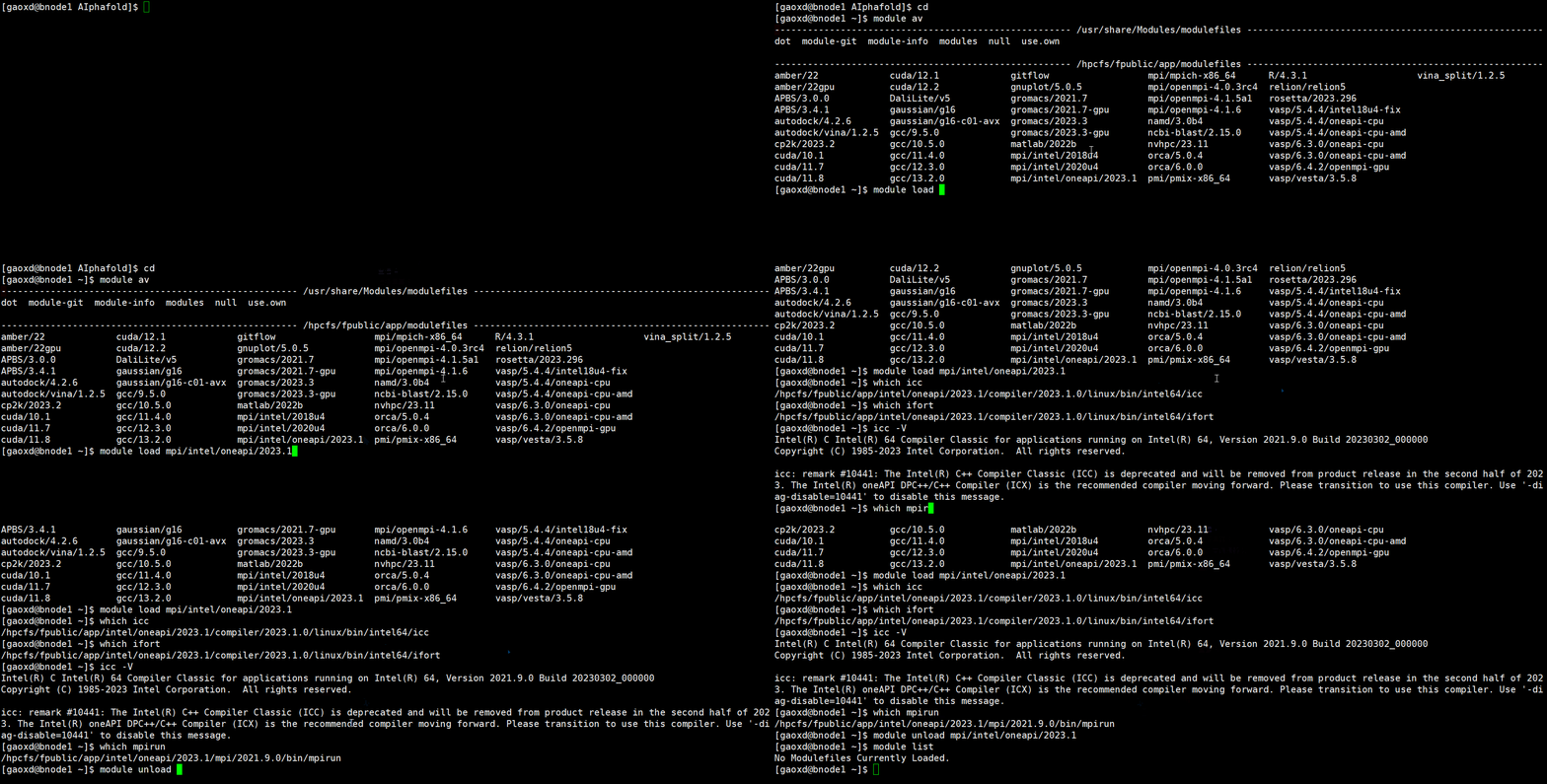
module avFilter by name:
module av cuda
module av gcc
module av mpi
module av gromacsModule directories include:
/hpcfs/fpublic/app/modulefiles/Compilers
/hpcfs/fpublic/app/modulefiles/Libraries
/hpcfs/fpublic/app/modulefiles/Science| Category | Examples |
|---|---|
| Compilers | gcc, nvhpc, aocc-compiler |
| Runtime libraries | cuda, glibc, node |
| MPI | mpi/intel, mpi/openmpi, mpi/mpich |
| Scientific computing | gromacs, vasp, gaussian, orca, cp2k |
| Bioinformatics and structural tools | ncbi-blast, rosetta, relion, PyMOL |
Load a module
module load mpi/intel/oneapi/2023.1Commands are added to the current shell environment. Check their locations:
which icc
which ifort
which mpirunExample output:
/hpcfs/fpublic/app/intel/oneapi/2023.1/compiler/2023.1.0/linux/bin/intel64/icc
/hpcfs/fpublic/app/intel/oneapi/2023.1/compiler/2023.1.0/linux/bin/intel64/ifort
/hpcfs/fpublic/app/intel/oneapi/2023.1/mpi/2021.9.0/bin/mpirunInspect loaded modules
module listExample:
Currently Loaded Modulefiles:
1) mpi/intel/oneapi/2023.1Change versions
Unload the old version before loading another:
module unload mpi/intel/oneapi/2023.1
module load mpi/intel/2020u4
module listOr clear the environment and reload what you need:
module purge
module load mpi/intel/2020u4Avoid incompatible environments
Do not mix incompatible MPI, CUDA, or compiler installations in the same shell. Check module list before submitting.
Use modules in Slurm scripts
Load dependencies explicitly inside batch scripts so the compute-node environment is reproducible.
Adapt this original example
The source example below uses qcpu, which is not listed in the platform partition guide. Replace it with an authorized CPU partition. For four MPI processes, request four tasks (--ntasks=4); --cpus-per-task=4 alone describes four CPUs for each task, not four MPI tasks. See the OpenMPI guide for a complete hybrid example.
#!/bin/bash
#SBATCH --job-name=test-module
#SBATCH --partition=qcpu
#SBATCH --cpus-per-task=4
#SBATCH --time=01:00:00
#SBATCH --output=%x_%j.out

module purge
module load mpi/intel/oneapi/2023.1

module list
which mpirun

mpirun -np 4 ./your_programCompletion and reference
Press Tab after part of a module name to complete it or list versions.
| Command | Action |
|---|---|
module av | List available modules |
module av keyword | Filter modules |
module load name | Load a module |
module unload name | Unload a module |
module list | Show loaded modules |
module purge | Unload all modules |
If a command remains unavailable, check module list and which, then verify the module name/version. For library conflicts, purge and load only required dependencies. Consult the application guide or administrator when unsure, and test with a small input before production use.