
AlphaFold2 on the cluster
The platform provides an AlphaFold2 environment and shared databases for protein structure prediction. Prepare a FASTA input and submit a GPU job through Slurm.
Customize the example
Replace 用户名 with your username and 你的邮箱地址 with your email address. Update all input/output paths and requested resources before submission.
Prepare the input
Example FASTA:
>protein_example
MKTAYIAKQRQISFVKSHFSRQDILDLWIYHTQGYFPSuggested input path:
/hpcfs/fhome/用户名/alphafold2/input/protein.fastaCreate a separate output directory:
mkdir -p /hpcfs/fhome/用户名/alphafold2/outputShared database location:
/hpcfs/fpublic/database/alphafold/data4runUsers normally do not need to download the databases themselves.
Slurm script
Save as job.slurm:
#!/bin/bash
#SBATCH --job-name=af2
#SBATCH --partition=qgpu_3090
#SBATCH --nodes=1
#SBATCH --ntasks=16
#SBATCH --gres=gpu:1
#SBATCH --mem=32G
#SBATCH --time=24:00:00
#SBATCH --output=af2_%j.out
#SBATCH --error=af2_%j.err
#SBATCH --mail-type=END,FAIL
#SBATCH --mail-user=你的邮箱地址

set -euo pipefail

echo "Run job ${SLURM_JOB_ID} on node ${SLURM_JOB_NODELIST}"
date

source /hpcfs/fpublic/app/miniforge3/conda/etc/profile.d/conda.sh
conda activate /hpcfs/fpublic/app/anaconda3/envs/env_af2

AF2_DIR="/hpcfs/fpublic/aiapp/alphafold"
DATA_DIR="/hpcfs/fpublic/database/alphafold/data4run"
OUTPUT_DIR="/hpcfs/fhome/用户名/alphafold2/output"
FASTA_FILE="/hpcfs/fhome/用户名/alphafold2/input/protein.fasta"
MAX_TEMPLATE_DATE="2022-05-14"

mkdir -p "${OUTPUT_DIR}"
cd "${AF2_DIR}"

bash "${AF2_DIR}/run_alphafold.sh" \
  -d "${DATA_DIR}" \
  -o "${OUTPUT_DIR}" \
  -f "${FASTA_FILE}" \
  -t "${MAX_TEMPLATE_DATE}"

date
echo "AlphaFold2 job finished."| Setting | Meaning |
|---|---|
--partition=qgpu_3090 | GPU partition; adapt to your permissions and task |
--mail-user | Notification email; configure or remove as needed |
OUTPUT_DIR | Prediction output directory |
FASTA_FILE | Input FASTA file |
MAX_TEMPLATE_DATE | Maximum template date; set for your task |
Submit and monitor
sbatch job.slurmsqueue -u $USERRead the logs, replacing 作业号 with the job ID:
cat af2_作业号.out
cat af2_作业号.errResults
OUTPUT_DIR contains predicted structures, rankings, confidence files, and logs. If it is empty, inspect the error log for invalid paths, database problems, GPU-memory errors, or input-format issues.
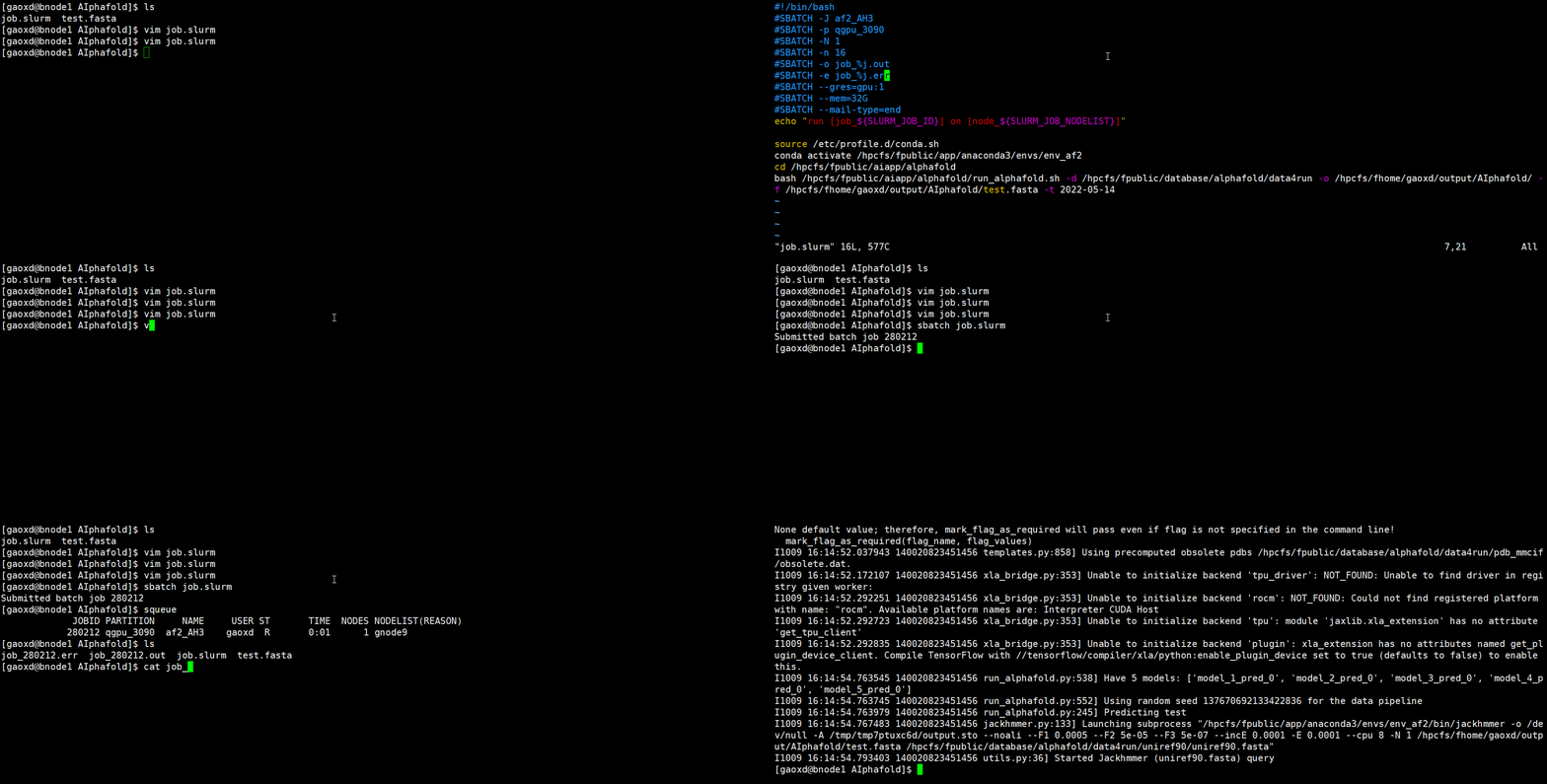
Demonstration
Troubleshooting
Use absolute FASTA paths and check read permissions; avoid spaces and special characters. Pending jobs may be waiting for GPU resources: monitor with squeue -u $USER or choose another suitable authorized partition. Long sequences, multimers, or intensive database searches may require more RAM, GPU memory, or time. Test a small input before production runs.