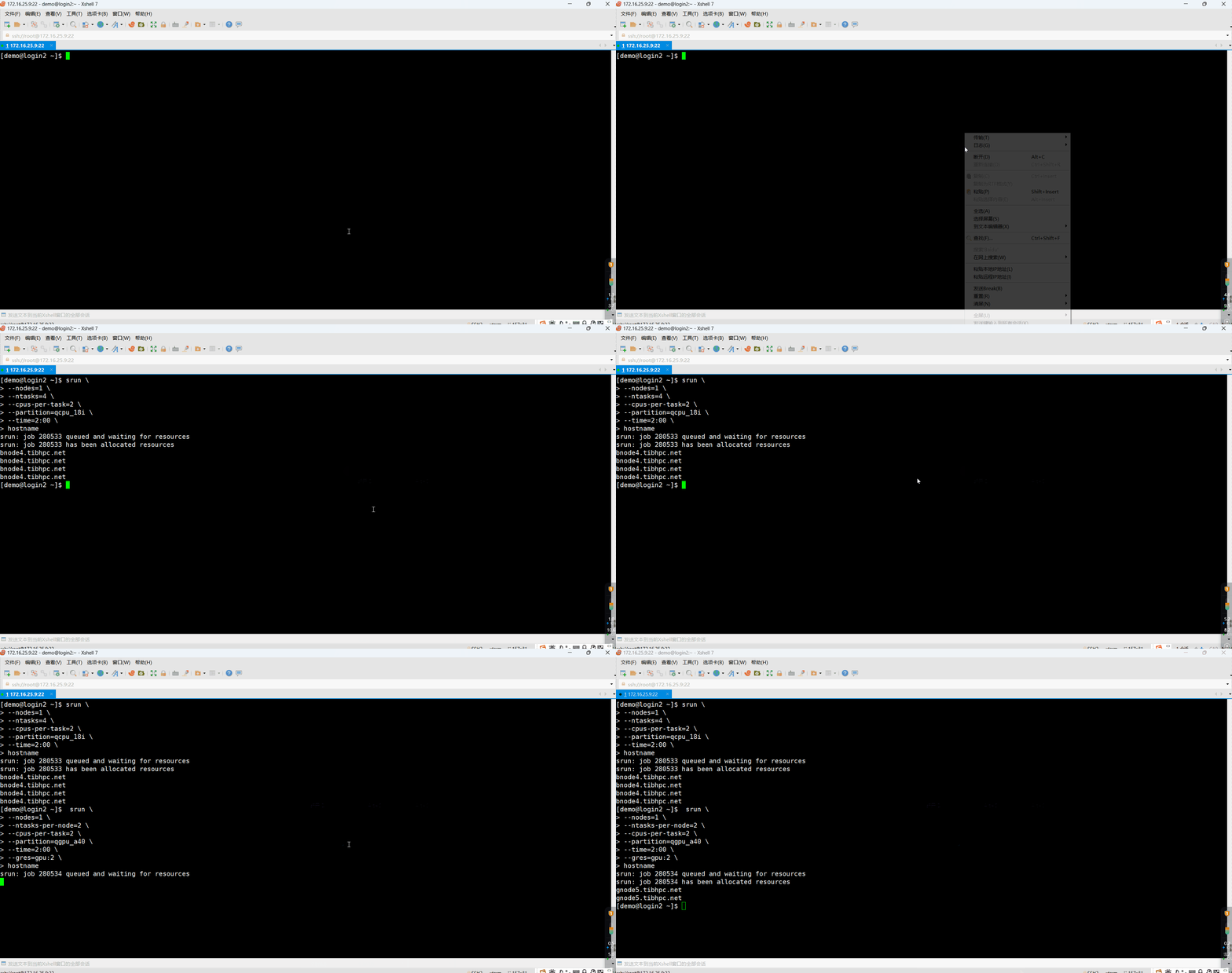
Interactive tasks with srun
srun requests resources and launches commands, or starts a job step within an existing allocation. Output normally appears in the current terminal. Resource allocation may queue before the command runs. Network disconnection or closing the terminal can affect interactive tasks; use sbatch for unattended long-running work.
Syntax and options
srun [options] command [arguments]| Option | Meaning |
|---|---|
--job-name | Job name |
--output, --error | Standard output and error paths |
--nodes, --ntasks, --ntasks-per-node | Nodes, total tasks, and tasks per node |
--cpus-per-task | CPU cores per task |
--mem | Memory per node |
--time | Wall-time limit, e.g. HH:MM:SS |
--partition | Partition |
--gres=gpu:N | GPUs per node |
--mail-type | Notification events such as BEGIN, END, and FAIL |
--mail-user | Notification email address |
--exclusive | Exclusive node allocation under the partition policy |
--begin | Earliest requested start time |
srun versus sbatch
srun launches a command and is useful for live output and debugging:
[demo@login2 ~]$ srun --ntasks=4 my_programsbatch submits a script for background scheduling:
[demo@login2 ~]$ sbatch job_script.shExample 1: one CPU node
Run four tasks, each with two CPUs, on one node in qcpu_18i for at most two minutes. Each task prints its hostname:
[demo@login2 ~]$ srun \
--nodes=1 \
--ntasks=4 \
--cpus-per-task=2 \
--partition=qcpu_18i \
--time=2:00 \
hostname

bnode1.tibhpc.net
bnode1.tibhpc.net
bnode1.tibhpc.net
bnode1.tibhpc.netExample 2: two GPU nodes
Run two tasks per node, two CPUs per task, across two nodes, with a two-minute limit. --gres=gpu:2 requests two GPUs per node, not two GPUs in total:
[demo@login2 ~]$ srun \
--nodes=2 \
--ntasks-per-node=2 \
--cpus-per-task=2 \
--partition=qgpu_a40 \
--time=2:00 \
--gres=gpu:2 \
hostname

gnode9.tibhpc.net
gnode9.tibhpc.net
gnode8.tibhpc.net
gnode8.tibhpc.netThe hostnames are historical example output. Use your actual allocation; the current partition guide assigns different nodes to qgpu_a40.
Monitor and tune
[demo@login2 ~]$ squeueAdjust task count, CPUs, and memory based on observed application performance rather than requesting unused resources.
Demonstration